Backseat Rally Races: Start a Stage and Configure Multiplayer

Last updated:

Start a timed stage from its start box, or open RACES to set up a multiplayer race. Here are the controls for getting underway, fixing start prompts, choosing race settings, and returning to the garage after a finish.

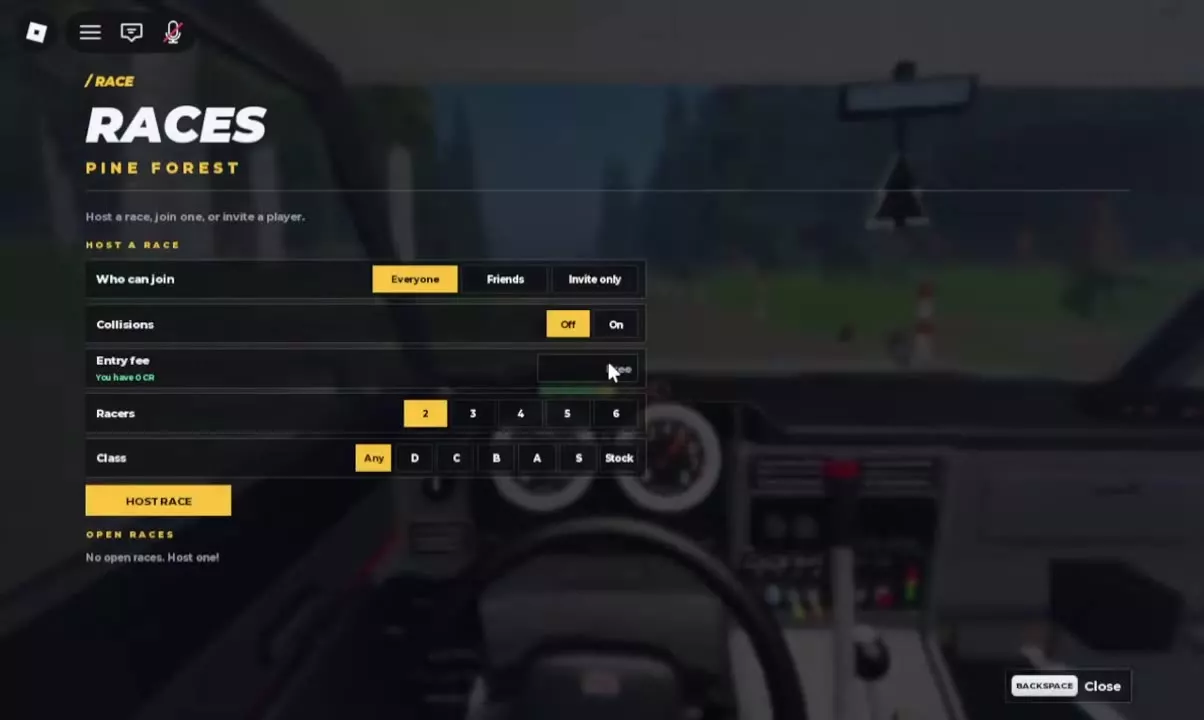
Drive into the start box and brake to a stop with S. Press Enter when START STAGE appears, then wait for the countdown and green GO signal. If MISSED THE START BOX appears, press R to return. For multiplayer, press V to open RACES, choose access, collisions, 2–6 racers, and a class restriction, then select HOST RACE.

View game artwork
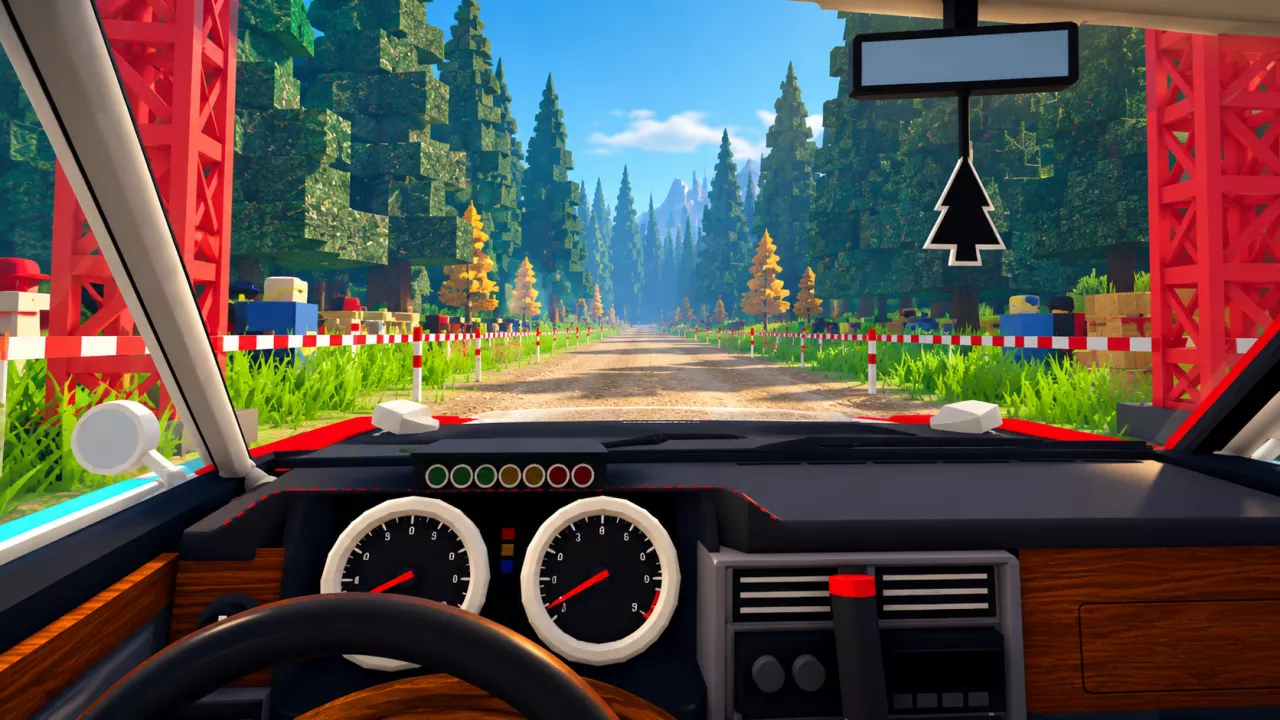
Backseat Rally Races: Start a Stage and Configure Multiplayer — illustrated cover

Start a Timed Stage

  1. In My Garage, select Drive with Enter to bring out your selected car at the stage.
  2. Follow STOP IN THE START BOX and its distance indicator to the starting area. Stop inside the box, using S to brake.
  3. When the start panel displays START STAGE, press Enter. The panel also offers C — Change Car if you need another vehicle.
  4. Wait through the countdown and red lights. If the panel already says STARTING IN, wait for it to finish.
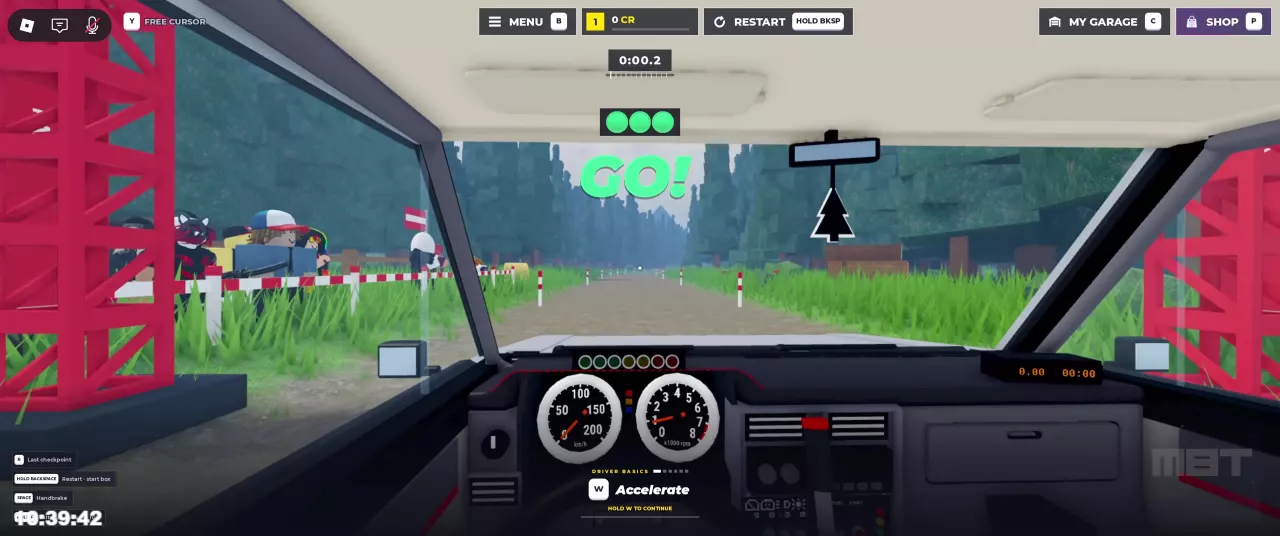
  5. Accelerate with W when the green GO signal appears. The stage timer starts at GO.

To change your vehicle before heading out, use the car selection and garage guide. To choose a different route, open STAGES from the main menu; see the stage locations and route guide.
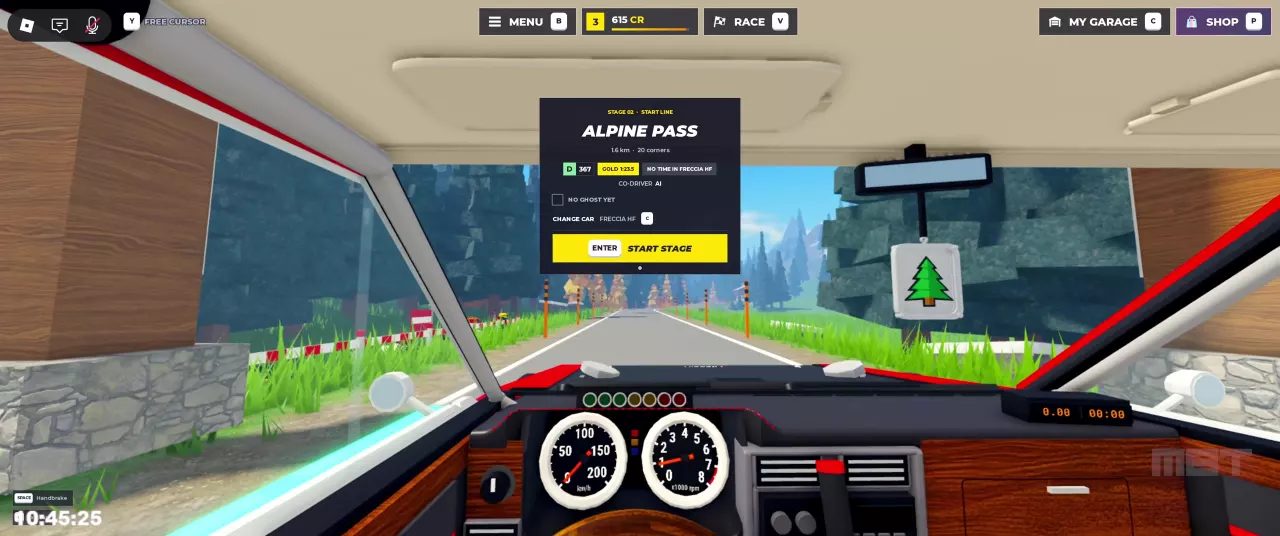
Alpine Pass start panel with Enter to start the stage and C to change cars.
Green GO signal and running stage timer at the Pine Forest start line.

Fix Start-Box Prompts

Match your next action to the message on screen:

Prompt What to do
STOP IN THE START BOX Follow the distance indicator and bring the car into the start box. Passing through without stopping does not complete this instruction.
BRAKE TO A STOP Press S until the car stops.
MISSED THE START BOX Press R when it is labeled Back to the box. You can also hold Backspace to return to the start box.

R changes function once a timed run is underway: it becomes Last checkpoint. To restart the run from the start box instead, hold Backspace. For reversing, handbrake turns, and other recovery controls, see driving basics.

Configure a Multiplayer Race

  1. Press V to open RACES.
  2. Set Who can join to Everyone, Friends, or Invite only. Choose Friends or Invite only when you want to restrict participation.
  3. Set Collisions to Off or On. Off is the better choice if you want to avoid contact between competing cars.
  4. Choose 2, 3, 4, 5, or 6 racers to suit your group.
  5. Choose a Class: Any, D, C, B, A, S, or Stock. Use a specific class when you want entrants to match that restriction; check your car's class in the garage before committing to it.
  6. Check the Entry fee display. If it reads Free, that configuration has no entry fee.
  7. Select HOST RACE with your chosen settings.

For a small race with friends, choose Friends, set the racer count to your group size, and use Collisions Off if your priority is clean driving. Choose Any when you do not want a vehicle class restriction.

If you want a friend in the passenger seat calling turns, use co-driver setup to arrange that pairing.

RACES menu with access, collisions, entry fee, racer count, class options, and HOST RACE.

Find an Available Race

Press V and look under OPEN RACES in the same RACES menu to find races to join. The menu supports hosting, joining, and inviting players.

If the list says No open races. Host one!, there is no listed race to select. You can configure your own race using HOST RACE above the list.

Press Backspace to close the menu and return to driving.

Skip the Replay and Return to the Garage

  1. After finishing a stage, watch the automatic replay marked REC, or press Enter — Skip.
  2. Review the Rewards screen that follows.
  3. On the final results screen, press Enter — Continue or G — Go to Garage.

Check the main menu's stage information for your best time. If a start panel displays NO GHOST YET, it means no ghost is available there.

For your next attempt, compare your best with the target on your current start panel using the gold medal times and time gap calculator. For the meaning of the payout rows, see CR and XP rewards.

Find your next answer

Backseat Rally Cars: Stats, Unlock Levels and Garage GuideBest Free Cars in Backseat Rally for Early ProgressionBackseat Rally Car Mastery and the Performance Parts Menu
Best Free Cars in Backseat Rally for Early ProgressionBackseat Rally Cars: Stats, Unlock Levels and Garage Guide
Backseat Rally Keyboard Controls, Tutorial and Driving BasicsBackseat Rally Driving Settings: Handling, Assists and Calls
Backseat Rally Driving Settings: Handling, Assists and Calls
Backseat Rally Co-driver Guide: Roles and Turn CallsBackseat Rally Stages: Pine Forest, Alpine Pass and Weekly BoardsBackseat Rally Keyboard Controls, Tutorial and Driving Basics
Backseat Rally Co-driver Guide: Roles and Turn CallsHow to Play Backseat Rally with Friends or an AI Co-driver
How to Play Backseat Rally with Friends or an AI Co-driverBackseat Rally Races: Start a Stage and Configure Multiplayer
Backseat Rally Races: Start a Stage and Configure MultiplayerHow to Play Backseat Rally with Friends or an AI Co-driver
Backseat Rally Races: Start a Stage and Configure MultiplayerBackseat Rally Stages: Pine Forest, Alpine Pass and Weekly BoardsBackseat Rally Gold Medal Times and Time Gap Calculator
Backseat Rally Stages: Pine Forest, Alpine Pass and Weekly BoardsBackseat Rally Gold Medal Times and Time Gap Calculator
Backseat Rally Gold Medal Times and Time Gap CalculatorBackseat Rally Air Fresheners: Collection, Rewards and Equipping
Backseat Rally Stages: Pine Forest, Alpine Pass and Weekly Boards
Backseat Rally Races: Start a Stage and Configure MultiplayerBackseat Rally Keyboard Controls, Tutorial and Driving Basics
How to Get CR and XP in Backseat RallyBackseat Rally Crates: Prices, Odds, Picks and Budget CalculatorBackseat Rally Rewards Calculator: Add CR and XP
Backseat Rally XP Goal Calculator and Account LevelsBackseat Rally Cars: Stats, Unlock Levels and Garage GuideHow to Get CR and XP in Backseat Rally
Backseat Rally Car Mastery and the Performance Parts Menu
How to Get CR and XP in Backseat Rally
Backseat Rally Crates: Prices, Odds, Picks and Budget CalculatorBackseat Rally Tyres, Rims and Gloves: Options and Garage MenusBackseat Rally Game Passes: VIP, Starter Pack and Orkan 9S
Backseat Rally Paint and Liveries: Packs and Equip Controls
Backseat Rally Crates: Prices, Odds, Picks and Budget CalculatorBackseat Rally Game Passes: VIP, Starter Pack and Orkan 9SBackseat Rally Tyres, Rims and Gloves: Options and Garage Menus
Backseat Rally Tyres, Rims and Gloves: Options and Garage MenusBackseat Rally Crates: Prices, Odds, Picks and Budget Calculator
Backseat Rally Air Fresheners: Collection, Rewards and Equipping
Backseat Rally Crates: Prices, Odds, Picks and Budget CalculatorBackseat Rally Tyres, Rims and Gloves: Options and Garage Menus
Backseat Rally Game Passes: VIP, Starter Pack and Orkan 9SBackseat Rally Paint and Liveries: Packs and Equip Controls
Backseat Rally Rewards Calculator: Add CR and XPBackseat Rally Crates: Prices, Odds, Picks and Budget CalculatorBackseat Rally XP Goal Calculator and Account LevelsBackseat Rally Gold Medal Times and Time Gap Calculator
Backseat Rally Keyboard Controls, Tutorial and Driving BasicsBackseat Rally Driving Settings: Handling, Assists and CallsHow to Play Backseat Rally with Friends or an AI Co-driverBackseat Rally Co-driver Guide: Roles and Turn CallsBackseat Rally Races: Start a Stage and Configure MultiplayerBackseat Rally Stages: Pine Forest, Alpine Pass and Weekly BoardsHow to Get CR and XP in Backseat RallyBackseat Rally Car Mastery and the Performance Parts MenuBackseat Rally Tyres, Rims and Gloves: Options and Garage MenusBackseat Rally Paint and Liveries: Packs and Equip ControlsBackseat Rally Air Fresheners: Collection, Rewards and EquippingBackseat Rally Game Passes: VIP, Starter Pack and Orkan 9S