
Backseat Rally Co-driver Guide: Roles and Turn Calls

Last updated:

A useful co-driver gives the driver a clear picture of the next bend. Learn how to join the passenger seat, read the turn cues, and turn them into short calls your partner can act on.

The driver controls the car while the co-driver calls upcoming turns. Read the arrow for direction and the label for severity: SLIGHT means a gentle bend, and HARD means a sharp bend. Call both together and watch for the following turn. For hairpins, the driver should brake early before steering with the handbrake.

View game artwork
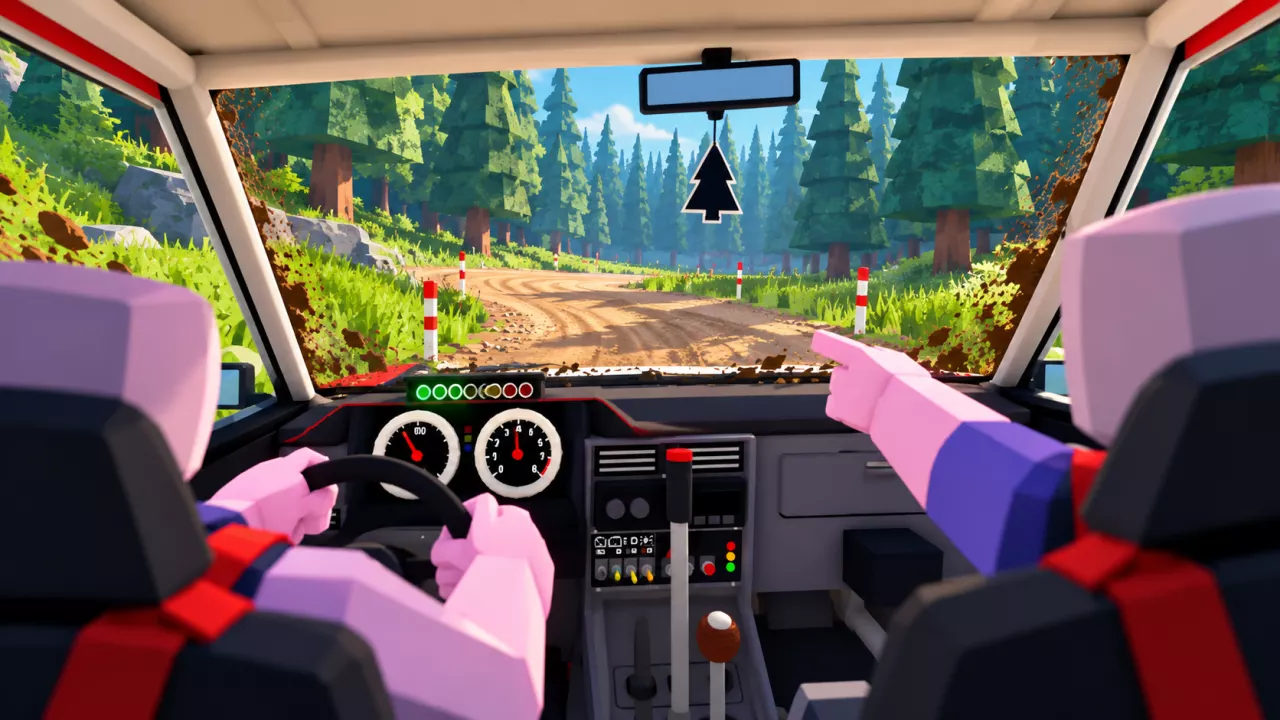
Backseat Rally Co-driver Guide: Roles and Turn Calls — illustrated cover

Driver and Co-driver Responsibilities

The driver handles acceleration, braking, steering, and the handbrake. The co-driver sits alongside and reports upcoming bends so the driver can prepare before reaching them.

To take the navigation role, choose Play → Co-drive. Accept a driver's invitation, or approach a car and press E when its Co-drive prompt appears.

For inviting a friend, offering an open seat, or choosing a solo AI partner, follow the co-driver setup guide.
Read Direction and Severity Together

Read the arrow and label as one instruction. The arrow tells you which way the road bends; the label tells you how sharp that bend is.

Displayed cue Meaning Suggested call
SLIGHT with a left arrow Gentle left bend “Slight left”
SLIGHT with a right arrow Gentle right bend “Slight right”
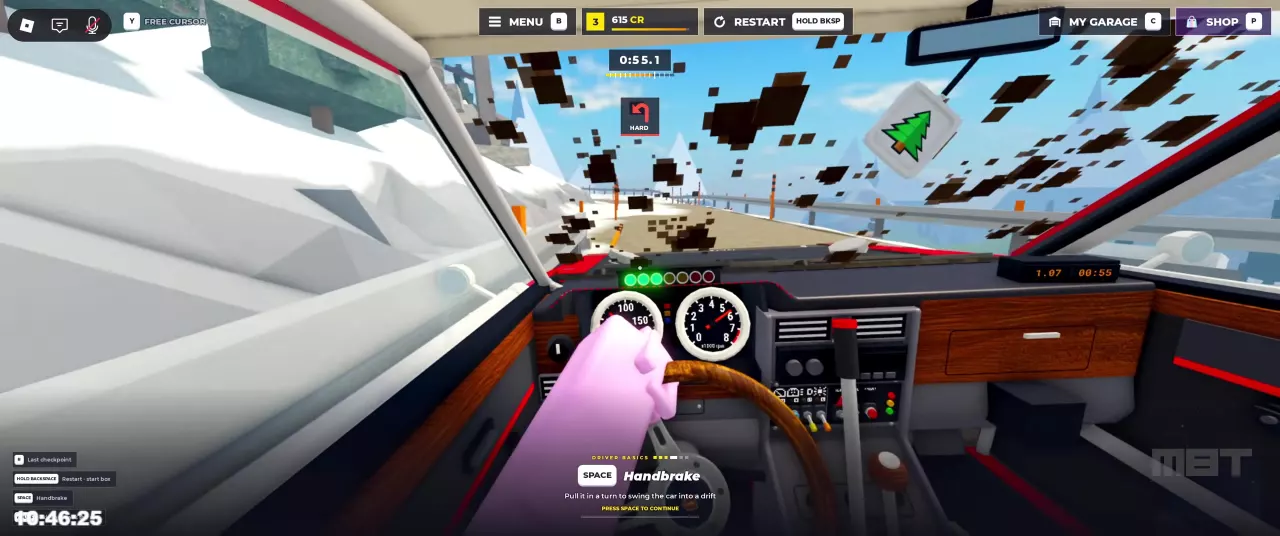
HARD with a left arrow Sharp left bend “Hard left”

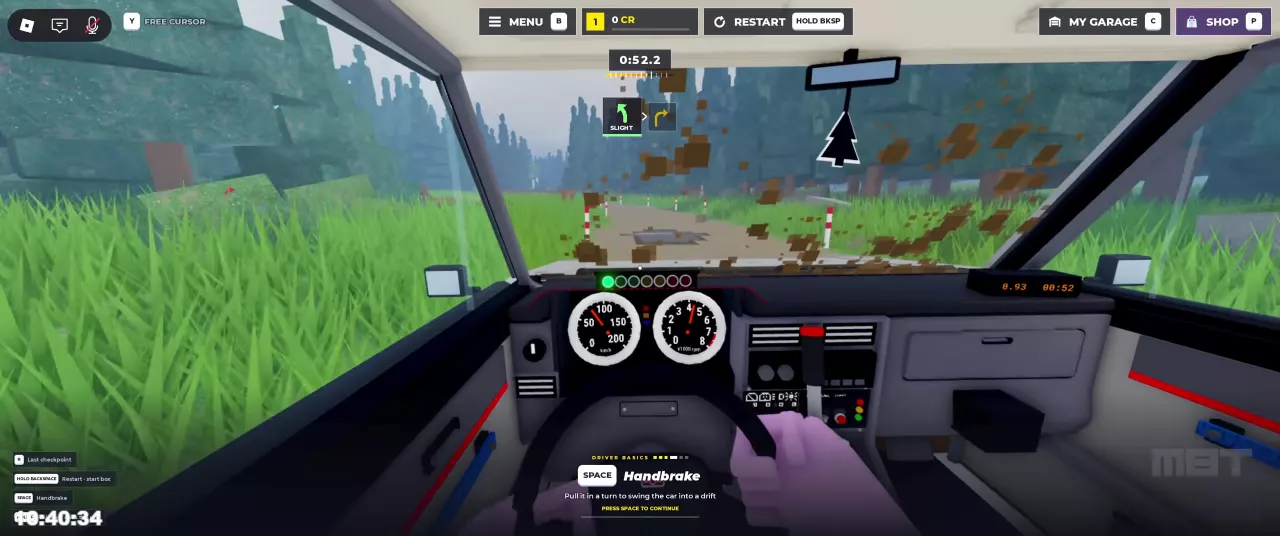
The display can also show the following turn beside the main cue. A SLIGHT left followed by a right arrow means you should prepare your partner for a change of direction after the left bend. Keep the order clear: the main cue is the immediate turn, and the adjacent cue previews what follows.

SLIGHT left cue with a following right-turn arrow above a forest road.
HARD left-turn cue above a snowy mountain road.

Turn the Cue into a Useful Call

  1. Call direction and severity together. Use a short phrase such as “Slight left” or “Hard left” so the driver knows both where to steer and how sharp the bend is.
  2. Add the following direction when it appears. For the SLIGHT-left cue with a right turn next, “Slight left, then right” keeps the sequence clear. Only add a severity for the second bend when its label is shown.
  3. Give the driver time to prepare. Make the call while the bend is still ahead, especially when a sharper corner requires braking.

For a hairpin, the driver should brake early with S, then steer into the turn and use Space for the handbrake. Using Space while turning helps rotate the car into a drift. A sharper call gives the driver a reason to prepare sooner; the driver performs the braking and handbrake inputs.

See handbrake turns and driving controls for the full driving sequence. For route conditions, see the Pine Forest and Alpine Pass guide.

Prepare Audio and Call Settings

Turn on sound and enable voice chat for spoken coordination. If you cannot hear your partner and voice volume is set to 0, raise it in settings before starting.

To change the game's call option, open Settings → Driving → Co-driver calls and choose Simple or Full. See the driving settings guide for the other handling, assistance, and audio options.

Find your next answer

Backseat Rally Cars: Stats, Unlock Levels and Garage GuideBest Free Cars in Backseat Rally for Early ProgressionBackseat Rally Car Mastery and the Performance Parts Menu
Best Free Cars in Backseat Rally for Early ProgressionBackseat Rally Cars: Stats, Unlock Levels and Garage Guide
Backseat Rally Keyboard Controls, Tutorial and Driving BasicsBackseat Rally Driving Settings: Handling, Assists and Calls
Backseat Rally Driving Settings: Handling, Assists and Calls
Backseat Rally Co-driver Guide: Roles and Turn CallsBackseat Rally Stages: Pine Forest, Alpine Pass and Weekly BoardsBackseat Rally Keyboard Controls, Tutorial and Driving Basics
Backseat Rally Co-driver Guide: Roles and Turn CallsHow to Play Backseat Rally with Friends or an AI Co-driver
How to Play Backseat Rally with Friends or an AI Co-driverBackseat Rally Races: Start a Stage and Configure Multiplayer
Backseat Rally Races: Start a Stage and Configure MultiplayerHow to Play Backseat Rally with Friends or an AI Co-driver
Backseat Rally Races: Start a Stage and Configure MultiplayerBackseat Rally Stages: Pine Forest, Alpine Pass and Weekly BoardsBackseat Rally Gold Medal Times and Time Gap Calculator
Backseat Rally Stages: Pine Forest, Alpine Pass and Weekly BoardsBackseat Rally Gold Medal Times and Time Gap Calculator
Backseat Rally Gold Medal Times and Time Gap CalculatorBackseat Rally Air Fresheners: Collection, Rewards and Equipping
Backseat Rally Stages: Pine Forest, Alpine Pass and Weekly Boards
Backseat Rally Races: Start a Stage and Configure MultiplayerBackseat Rally Keyboard Controls, Tutorial and Driving Basics
How to Get CR and XP in Backseat RallyBackseat Rally Crates: Prices, Odds, Picks and Budget CalculatorBackseat Rally Rewards Calculator: Add CR and XP
Backseat Rally XP Goal Calculator and Account LevelsBackseat Rally Cars: Stats, Unlock Levels and Garage GuideHow to Get CR and XP in Backseat Rally
Backseat Rally Car Mastery and the Performance Parts Menu
How to Get CR and XP in Backseat Rally
Backseat Rally Crates: Prices, Odds, Picks and Budget CalculatorBackseat Rally Tyres, Rims and Gloves: Options and Garage MenusBackseat Rally Game Passes: VIP, Starter Pack and Orkan 9S
Backseat Rally Paint and Liveries: Packs and Equip Controls
Backseat Rally Crates: Prices, Odds, Picks and Budget CalculatorBackseat Rally Game Passes: VIP, Starter Pack and Orkan 9SBackseat Rally Tyres, Rims and Gloves: Options and Garage Menus
Backseat Rally Tyres, Rims and Gloves: Options and Garage MenusBackseat Rally Crates: Prices, Odds, Picks and Budget Calculator
Backseat Rally Air Fresheners: Collection, Rewards and Equipping
Backseat Rally Crates: Prices, Odds, Picks and Budget CalculatorBackseat Rally Tyres, Rims and Gloves: Options and Garage Menus
Backseat Rally Game Passes: VIP, Starter Pack and Orkan 9SBackseat Rally Paint and Liveries: Packs and Equip Controls
Backseat Rally Rewards Calculator: Add CR and XPBackseat Rally Crates: Prices, Odds, Picks and Budget CalculatorBackseat Rally XP Goal Calculator and Account LevelsBackseat Rally Gold Medal Times and Time Gap Calculator
Backseat Rally Keyboard Controls, Tutorial and Driving BasicsBackseat Rally Driving Settings: Handling, Assists and CallsHow to Play Backseat Rally with Friends or an AI Co-driverBackseat Rally Co-driver Guide: Roles and Turn CallsBackseat Rally Races: Start a Stage and Configure MultiplayerBackseat Rally Stages: Pine Forest, Alpine Pass and Weekly BoardsHow to Get CR and XP in Backseat RallyBackseat Rally Car Mastery and the Performance Parts MenuBackseat Rally Tyres, Rims and Gloves: Options and Garage MenusBackseat Rally Paint and Liveries: Packs and Equip ControlsBackseat Rally Air Fresheners: Collection, Rewards and EquippingBackseat Rally Game Passes: VIP, Starter Pack and Orkan 9S