Backseat Rally Driving Settings: Handling, Assists and Calls

Last updated:

Adjust handling, brake assistance, and co-driver calls from the Driving settings page. Choose Arcade for drift and steering assistance, or change individual options to suit how you want to drive.

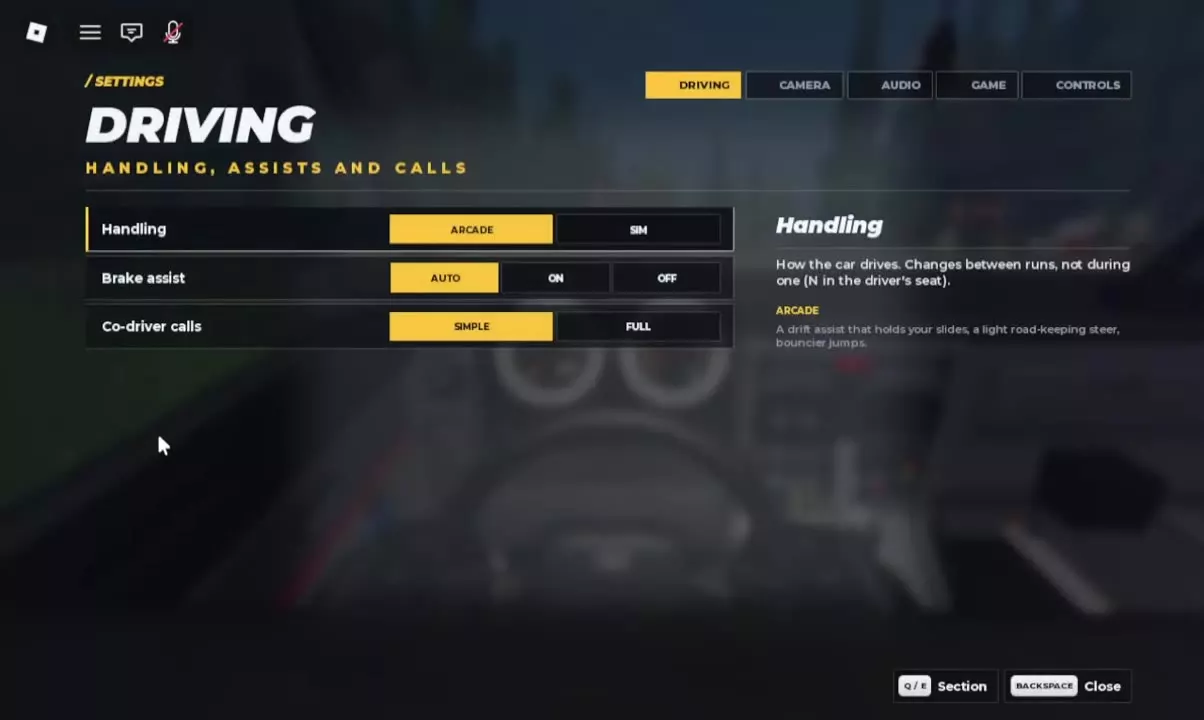
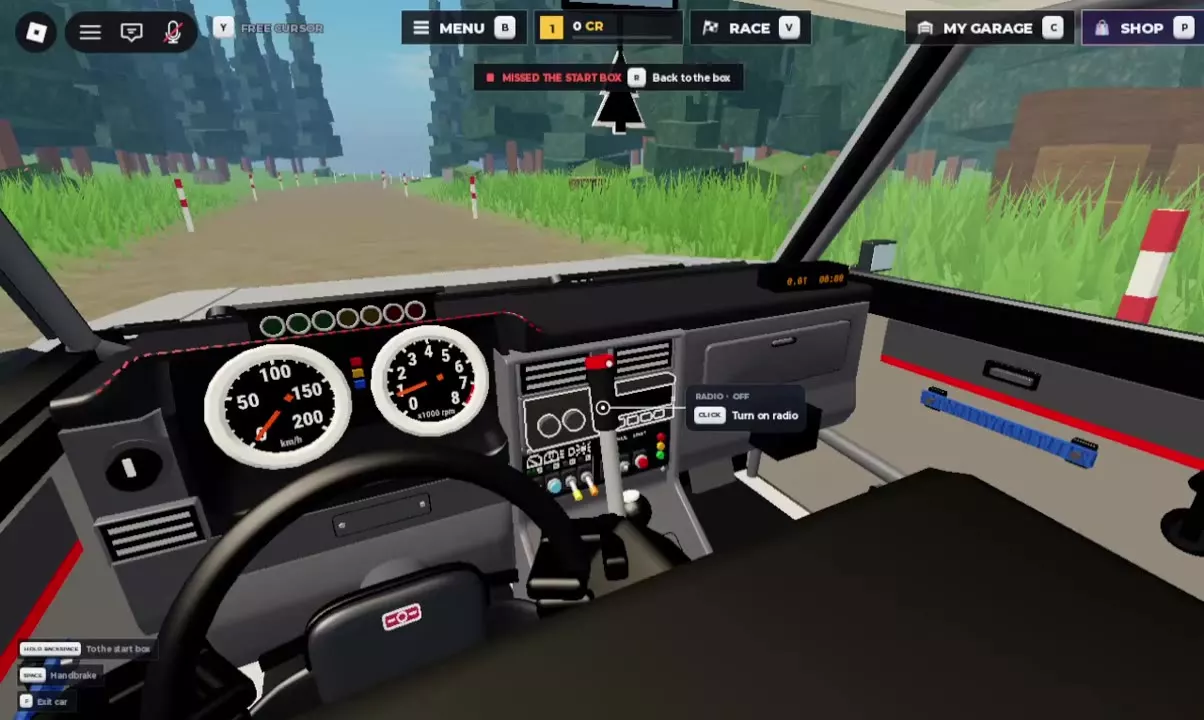
Open Settings → Driving. Handling offers Arcade or Sim, Brake assist offers Auto, On, or Off, and Co-driver calls offers Simple or Full. Change handling between races; you can also press N from the driver's seat. To disable brake assist, select Off. If voice volume is zero, raise it in settings. Turn on the car radio separately by clicking its center-console prompt.

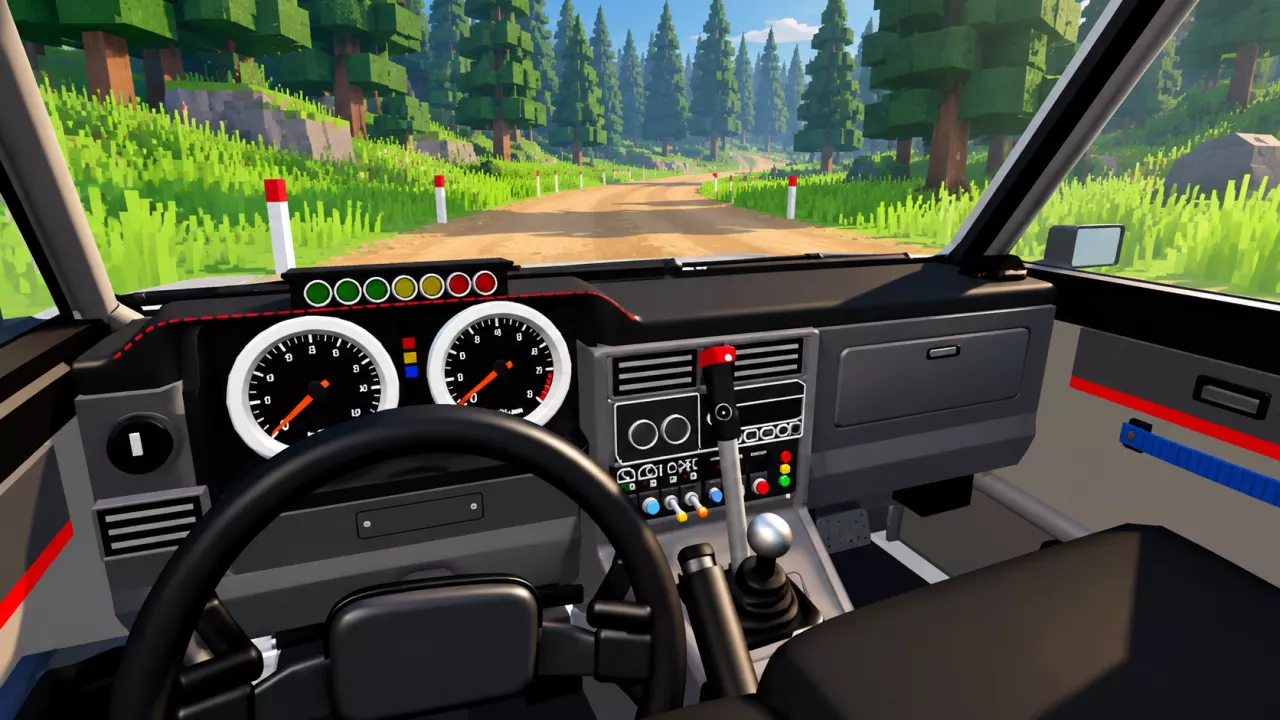
View game artwork
Backseat Rally Driving Settings: Handling, Assists and Calls — illustrated cover

Open Settings and Choose Driving

  1. Open Settings from the main menu.
  2. Select the Driving tab.
  3. Find the row you want to adjust: Handling, Brake assist, or Co-driver calls.

The three rows keep handling, braking assistance, and call preferences together. Use the options below to find the setting you need.

  • Driving

    Handling
    Arcade / Sim
    Brake assist
    Auto / On / Off
    Co-driver calls
    Simple / Full
Driving settings with Handling, Brake assist, and Co-driver calls options.

Choose Arcade Assistance and Switch Handling

Arcade is a useful starting choice if you want help holding a slide and staying on the road. It includes:

  • Drift assistance that helps hold your slides.
  • Light steering assistance that helps keep the car on the road.
  • Bouncier jumps.

Select Arcade or Sim in the Handling row. Change handling between races, not during a run. From the driver's seat, you can also press N to change handling between races.

For the inputs and technique behind braking, drifting, and recovering the car, see the keyboard controls and driving basics guide.

Brake Assist and Co-driver Call Options

In Settings → Driving, the Brake assist row offers Auto, On, and Off. To turn off brake assist, click Off in that row.

The Co-driver calls row offers Simple and Full. Select your preferred option there. For help interpreting turn direction and severity, use the co-driver turn-call guide. To invite a friend, offer an open seat, or choose an AI partner, follow co-driver setup.

Voice Volume and the Car Radio

Enable sound and voice chat for spoken coordination with your partner. If a notification says your voice volume is 0, open settings and raise the voice volume.

The car radio has its own control on the center console:

  1. Point at the radio unit showing RADIO · OFF.
  2. Click Turn on radio.

Use the voice-volume setting for voice chat and the console interaction to switch on the radio.

Center-console radio with the Turn on radio prompt beside the dashboard.

Find your next answer

Backseat Rally Cars: Stats, Unlock Levels and Garage GuideBest Free Cars in Backseat Rally for Early ProgressionBackseat Rally Car Mastery and the Performance Parts Menu
Best Free Cars in Backseat Rally for Early ProgressionBackseat Rally Cars: Stats, Unlock Levels and Garage Guide
Backseat Rally Keyboard Controls, Tutorial and Driving BasicsBackseat Rally Driving Settings: Handling, Assists and Calls
Backseat Rally Driving Settings: Handling, Assists and Calls
Backseat Rally Co-driver Guide: Roles and Turn CallsBackseat Rally Stages: Pine Forest, Alpine Pass and Weekly BoardsBackseat Rally Keyboard Controls, Tutorial and Driving Basics
Backseat Rally Co-driver Guide: Roles and Turn CallsHow to Play Backseat Rally with Friends or an AI Co-driver
How to Play Backseat Rally with Friends or an AI Co-driverBackseat Rally Races: Start a Stage and Configure Multiplayer
Backseat Rally Races: Start a Stage and Configure MultiplayerHow to Play Backseat Rally with Friends or an AI Co-driver
Backseat Rally Races: Start a Stage and Configure MultiplayerBackseat Rally Stages: Pine Forest, Alpine Pass and Weekly BoardsBackseat Rally Gold Medal Times and Time Gap Calculator
Backseat Rally Stages: Pine Forest, Alpine Pass and Weekly BoardsBackseat Rally Gold Medal Times and Time Gap Calculator
Backseat Rally Gold Medal Times and Time Gap CalculatorBackseat Rally Air Fresheners: Collection, Rewards and Equipping
Backseat Rally Stages: Pine Forest, Alpine Pass and Weekly Boards
Backseat Rally Races: Start a Stage and Configure MultiplayerBackseat Rally Keyboard Controls, Tutorial and Driving Basics
How to Get CR and XP in Backseat RallyBackseat Rally Crates: Prices, Odds, Picks and Budget CalculatorBackseat Rally Rewards Calculator: Add CR and XP
Backseat Rally XP Goal Calculator and Account LevelsBackseat Rally Cars: Stats, Unlock Levels and Garage GuideHow to Get CR and XP in Backseat Rally
Backseat Rally Car Mastery and the Performance Parts Menu
How to Get CR and XP in Backseat Rally
Backseat Rally Crates: Prices, Odds, Picks and Budget CalculatorBackseat Rally Tyres, Rims and Gloves: Options and Garage MenusBackseat Rally Game Passes: VIP, Starter Pack and Orkan 9S
Backseat Rally Paint and Liveries: Packs and Equip Controls
Backseat Rally Crates: Prices, Odds, Picks and Budget CalculatorBackseat Rally Game Passes: VIP, Starter Pack and Orkan 9SBackseat Rally Tyres, Rims and Gloves: Options and Garage Menus
Backseat Rally Tyres, Rims and Gloves: Options and Garage MenusBackseat Rally Crates: Prices, Odds, Picks and Budget Calculator
Backseat Rally Air Fresheners: Collection, Rewards and Equipping
Backseat Rally Crates: Prices, Odds, Picks and Budget CalculatorBackseat Rally Tyres, Rims and Gloves: Options and Garage Menus
Backseat Rally Game Passes: VIP, Starter Pack and Orkan 9SBackseat Rally Paint and Liveries: Packs and Equip Controls
Backseat Rally Rewards Calculator: Add CR and XPBackseat Rally Crates: Prices, Odds, Picks and Budget CalculatorBackseat Rally XP Goal Calculator and Account LevelsBackseat Rally Gold Medal Times and Time Gap Calculator
Backseat Rally Keyboard Controls, Tutorial and Driving BasicsBackseat Rally Driving Settings: Handling, Assists and CallsHow to Play Backseat Rally with Friends or an AI Co-driverBackseat Rally Co-driver Guide: Roles and Turn CallsBackseat Rally Races: Start a Stage and Configure MultiplayerBackseat Rally Stages: Pine Forest, Alpine Pass and Weekly BoardsHow to Get CR and XP in Backseat RallyBackseat Rally Car Mastery and the Performance Parts MenuBackseat Rally Tyres, Rims and Gloves: Options and Garage MenusBackseat Rally Paint and Liveries: Packs and Equip ControlsBackseat Rally Air Fresheners: Collection, Rewards and EquippingBackseat Rally Game Passes: VIP, Starter Pack and Orkan 9S